Swapping
Swapping is the core feature of KalySwap. It allows you to trade one KRC-20 token for another instantly using an Automated Market Maker (AMM) model. Unlike order-book exchanges, there is no need to wait for a counterparty; you trade directly against a liquidity pool.
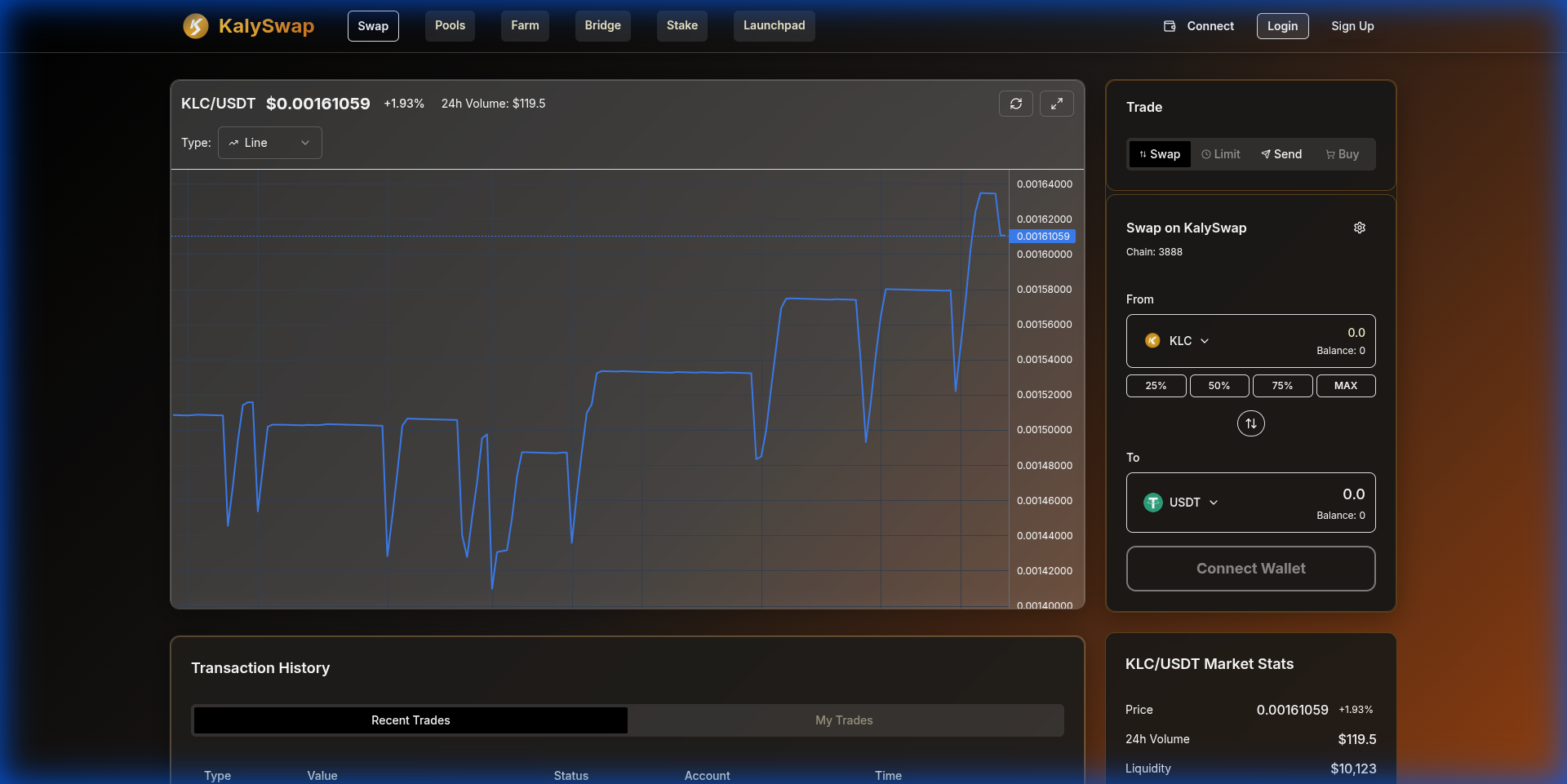
How to Swap
- Connect Wallet: Go to the Swap Page and connect your wallet.
- Select Tokens:
- Input: Choose the token you want to sell (e.g., KMT).
- Output: Choose the token you want to buy (e.g., USDT).
- Enter Amount: Type the amount you wish to trade. The interface will automatically calculate the estimated output based on the current price and pool reserves.
- Approvals: If you are trading a KRC-20 token for the first time, you must 'Approve' the derivative smart contract to spend your tokens.
- Confirm Swap: Review the details (slippage, price impact, fee) and click Swap. Confirm the transaction in your wallet.
Trading Details
Slippage Tolerance
Slippage is the difference between your expected price and the execution price. This can happen during high volatility. You can adjust your slippage tolerance (default is usually 0.5%) in the settings icon on the swap interface.
- Low volatility: 0.1% - 0.5%
- High volatility: 1.0% - 5.0%
Price Impact
This represents the difference between the market price and the estimated price due to trade size. Large trades relative to the pool size will have a higher price impact.
Trading Fee
Every swap on KalySwap incurs a standard 0.3% trading fee.
- 0.25% goes directly to Liquidity Providers as a reward.
- 0.05% is allocated to the KalySwap Treasury for buybacks and development.
V2 vs V3
Currently, KalySwap operates on Uniswap V2 contracts. We are actively developing KalySwap V3, which will introduce concentrated liquidity, multiple fee tiers, and improved capital efficiency.