Voting in KalyDAO
This guide explains how to participate in KalyDAO governance by acquiring voting power and casting votes.
Getting Voting Power
To vote in KalyDAO, you need gKMT (Governance KMT) — a wrapped version of the native KMT token.
Step 1: Wrap Your KMT
- Go to dao.kalychain.io
- Connect your wallet
- Navigate to the "Wrap KMT" section
- Enter the amount of KMT to wrap
- Confirm the transaction
Your KMT is deposited into the Governance Token contract, and you receive an equal amount of gKMT.
1 KMT = 1 gKMT. There's no conversion fee — you can unwrap anytime.
Step 2: Delegate Voting Power
After wrapping, you must delegate your voting power. You can:
- Self-delegate — Vote with your own tokens
- Delegate to another address — Let someone else vote on your behalf
You must delegate (even to yourself) before your gKMT has voting power. Undelegated tokens cannot vote.
How to Vote
1. Find Active Proposals
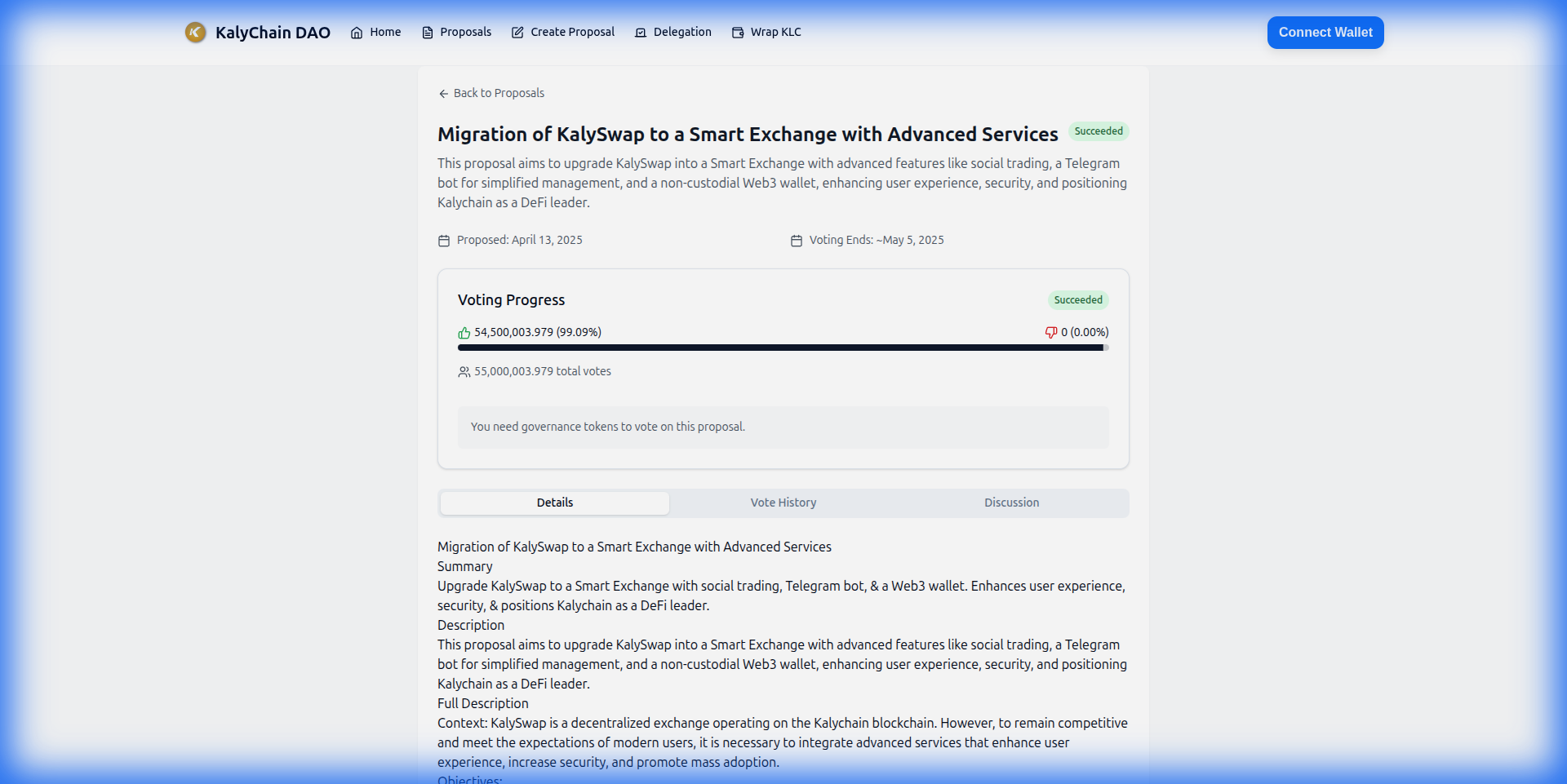
Visit dao.kalychain.io to view:
- Active proposals — Currently open for voting
- Pending proposals — Waiting for voting period to start
- Passed/Failed proposals — Historical proposals
2. Review the Proposal
Each proposal shows:
- Description — What the proposal does
- Actions — On-chain calls to be executed
- Votes — Current For/Against/Abstain counts
- Timeline — When voting ends
3. Cast Your Vote
Choose your voting option:
| Vote | Meaning |
|---|---|
| For | Support the proposal |
| Against | Oppose the proposal |
| Abstain | Count toward quorum without voting yes/no |
Submit your vote transaction. Your voting power is calculated based on your gKMT balance at the proposal creation block.
Voting Requirements
Quorum
A proposal needs at least 4% of total voting power participating to be valid.
Voting Period
- Delay: ~1 week after proposal creation before voting starts
- Duration: ~1 week voting window
Vote Counting
For a proposal to pass:
- Quorum met — At least 4% participation
- Majority — More "For" votes than "Against"
Unwrapping gKMT
To convert back to native KMT:
- Go to the DAO interface
- Navigate to "Unwrap gKMT"
- Enter the amount to unwrap
- Confirm the transaction
Your gKMT is burned and you receive the equivalent native KMT.
Voting Tips
- Delegate early — Your voting power only counts after delegation
- Review carefully — Understand proposals before voting
- Check the actions — See exactly what on-chain calls will execute
- Note the snapshot — Your voting power is locked at proposal creation
Technical Details
Direct Contract Interaction
Wrap KMT (deposit):
// Send KMT directly to the governance token
// Contract: 0x4BA2369743c4249ea3f6777CaF433c76dBBa657a
(bool success, ) = GOVERNANCE_TOKEN.call{value: amount}("");
Delegate:
IGovernanceToken(GOVERNANCE_TOKEN).delegate(yourAddress);
Vote:
IGovernor(GOVERNOR).castVote(proposalId, support);
// support: 0=Against, 1=For, 2=Abstain
Further Reading
- Creating Proposals — Submit your own proposals
- Contract Addresses — Technical reference
- DAO Interface — Start voting